What are the core endpoints, limits, and plan requirements for HearDraft API v1?
API v1 consists of two workspace-scoped endpoints—one to upload raw media and queue transcription, and one to poll results—available on confirmed annual Starter and Team plans.
Keep your Bearer API key strictly on your backend server; never expose it in frontend browser code.
| Parameter | Specification |
|---|---|
| Submit endpoint | POST https://heardraft.com/api/v1/transcriptions?filename=<name>&language=auto |
| Poll endpoint | GET https://heardraft.com/api/v1/transcriptions/{id} |
| Authentication | Authorization: Bearer <HEARDRAFT_API_KEY> (active annual plan required) |
| Required upload headers | Content-Type (audio/*, video/*, or application/octet-stream), Content-Length, Idempotency-Key (8–128 chars) |
| Per-request limits | Up to 100 MB and up to 10 hours per recording |
| Rate limit | 120 requests per minute per workspace |
| Segment precision | Integer milliseconds (startMs, endMs) plus optional speaker label |
How do you submit a file and poll safely in TypeScript?
Attach a deterministic Idempotency-Key tied to your media asset ID, treat HTTP 202 as queued, and poll every few seconds until status reaches ready.
If a network timeout occurs mid-upload, retrying with the exact same Idempotency-Key and identical file metadata avoids creating duplicate jobs. Reusing a key with different file metadata returns HTTP 409 IDEMPOTENCY_CONFLICT.
import { readFile } from 'node:fs/promises';

const apiKey = process.env.HEARDRAFT_API_KEY!;
const file = await readFile('./interview.wav');

const upload = await fetch(
  'https://heardraft.com/api/v1/transcriptions?filename=interview.wav&language=auto',
  {
    method: 'POST',
    headers: {
      Authorization: `Bearer ${apiKey}`,
      'Content-Type': 'audio/wav',
      'Content-Length': String(file.byteLength),
      'Idempotency-Key': 'interview-2026-11-24-001',
    },
    body: file,
  },
);

if (upload.status !== 202) {
  throw new Error(`Submit failed (${upload.status}): ${await upload.text()}`);
}

const { id } = await upload.json();

while (true) {
  const poll = await fetch(`https://heardraft.com/api/v1/transcriptions/${id}`, {
    headers: { Authorization: `Bearer ${apiKey}` },
  });
  const job = await poll.json();
  if (job.status === 'ready') {
    console.log(job.result.segments);
    break;
  }
  if (job.status === 'failed' || job.status === 'canceled') {
    throw new Error(job.error?.message ?? job.status);
  }
  await new Promise(resolve => setTimeout(resolve, 4000));
}
Why does workspace sync matter for production pipelines?
Even automated pipelines hit edge cases—overlapping speakers, industry jargon, or publish-ready quotes—where a two-minute human check beats re-running models.
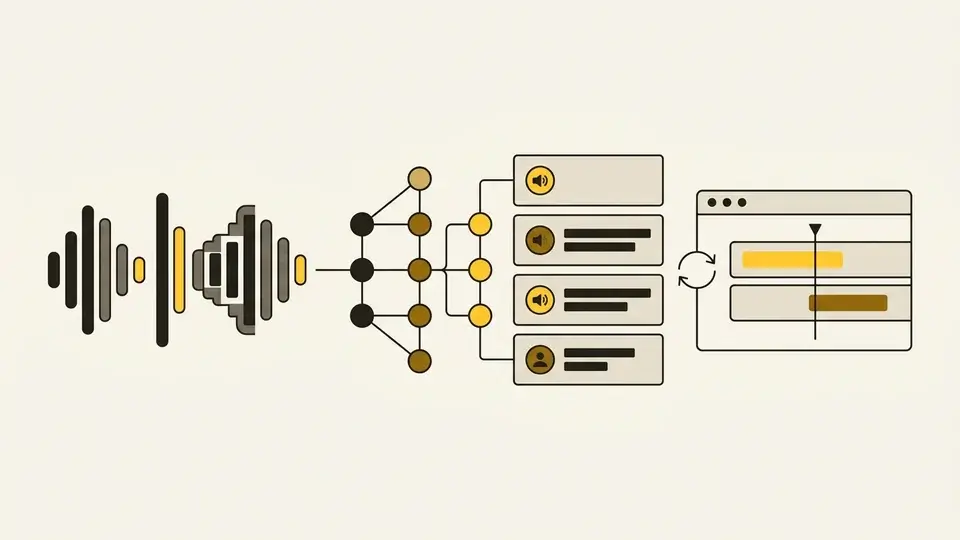
Because every API submission returns a sourceId linked to your HearDraft workspace, your pipeline can post a direct review link to Slack or your editorial queue. An editor opens the exact recording in HearDraft, replays uncertain timestamps, renames speakers, and exports TXT, Markdown, CSV, SRT, or VTT.

Frequently asked questions
- Which HearDraft plans include Transcription API access?
- API keys require a confirmed, active paid annual plan (Starter Annual or Team Annual). Free, guest, and monthly plans do not include API access.
- Does API v1 support webhooks yet?
- Not yet. Current v1 pipelines poll GET /api/v1/transcriptions/{id} every few seconds until status becomes ready or failed.
- Can I edit an API-created transcript inside the HearDraft web app?
- Yes. Every accepted API task appears in the Tasks view of the owning workspace, where you can replay audio, edit passages, and export reviewed files.