Tạo phụ đề tự động cho video
Tạo phụ đề có mốc thời gian từ lời nói trong video. Sửa câu chữ, kiểm tra thời điểm hiển thị rồi tải tệp phụ đề.
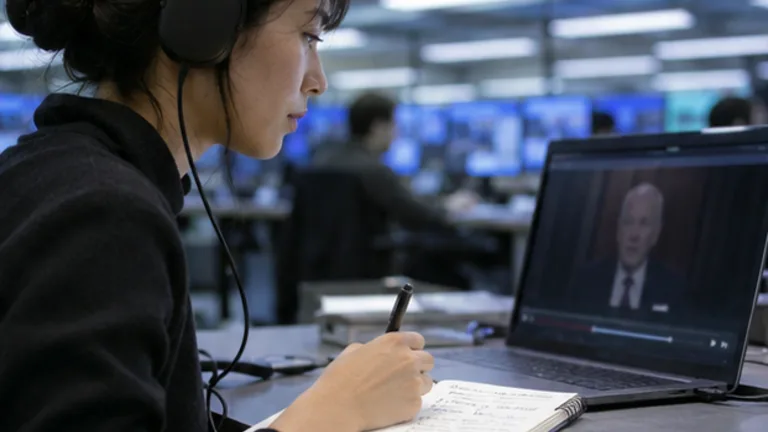
Kết quả mẫu
Ví dụ đọc thành tiếng. Phát đoạn có mốc thời gian hoặc tải tệp tương ứng.
Định dạng tệp
- Video input
- MP4 · MOV · WebM · MKV
- Timed subtitle files
- SRT · VTT
- Video with subtitles
- MP4
Cách thực hiện

Chọn nguồn
Chọn tệp ghi âm đã lưu mà bạn muốn kiểm tra.
Kiểm tra bản nháp
So sánh từng dòng và kiểm tra thời điểm xuất hiện trên cùng phiên bản video.
Lưu kết quả
Chọn định dạng phù hợp với người nhận.
Trường hợp sử dụng

Kiểm tra bản nháp
Khi làm video hướng dẫn, kiểm tra phụ đề xuất hiện đúng lúc thao tác được trình bày.

Kiểm tra lúc cắt cảnh
Phát lại bản dựng cuối để bảo đảm phụ đề không còn hiện khi video chuyển sang thao tác khác.
What you can do with a transcript

Read the summary and follow its links to the original passages.
User reviews
Illustrative examples
The translation matched the same cut
I checked the translated captions next to the original. I shortened a long line and then exported both languages for the same edit.
Samira PatelLocalization editorI fixed the cue in the SRT I had
I already had an SRT. I corrected the product name and adjusted when its line appeared, then saved the revised subtitle file.
Milo GrantCaption reviewerA late cue was easy to spot
The caption came up after the speaker started. I checked the finished video, adjusted the cue, and exported the updated subtitle file.
Felix ReedPost-production editorWe caught the misheard name in the captions
The transcript misspelled a name. I checked the line in the MP4, fixed it, and exported a fresh caption file.
Alma BrooksVideo producerI had captions ready for the web player
I checked the cue timing in the walkthrough and used the VTT in our player. The next person had the plain transcript for the help article.
Ivy RomeroWeb producerThe captions match the final cut
We trimmed the intro before publishing. I transcribed the final cut, checked when the first line starts, then imported the SRT into my video editor.
Mina ParkVideo editor

Câu hỏi thường gặp
- Làm sao đưa phụ đề vào video?
- Nhập tệp SRT hoặc VTT vào trình chỉnh sửa và dùng đúng phiên bản video ban đầu.
- Mốc thời gian có khớp với bản dựng khác không?
- Hãy dùng đúng bản đã chép lời. Nếu cắt đầu hoặc bỏ một đoạn, hãy kiểm tra lại thời gian.